Your cycle, your business.
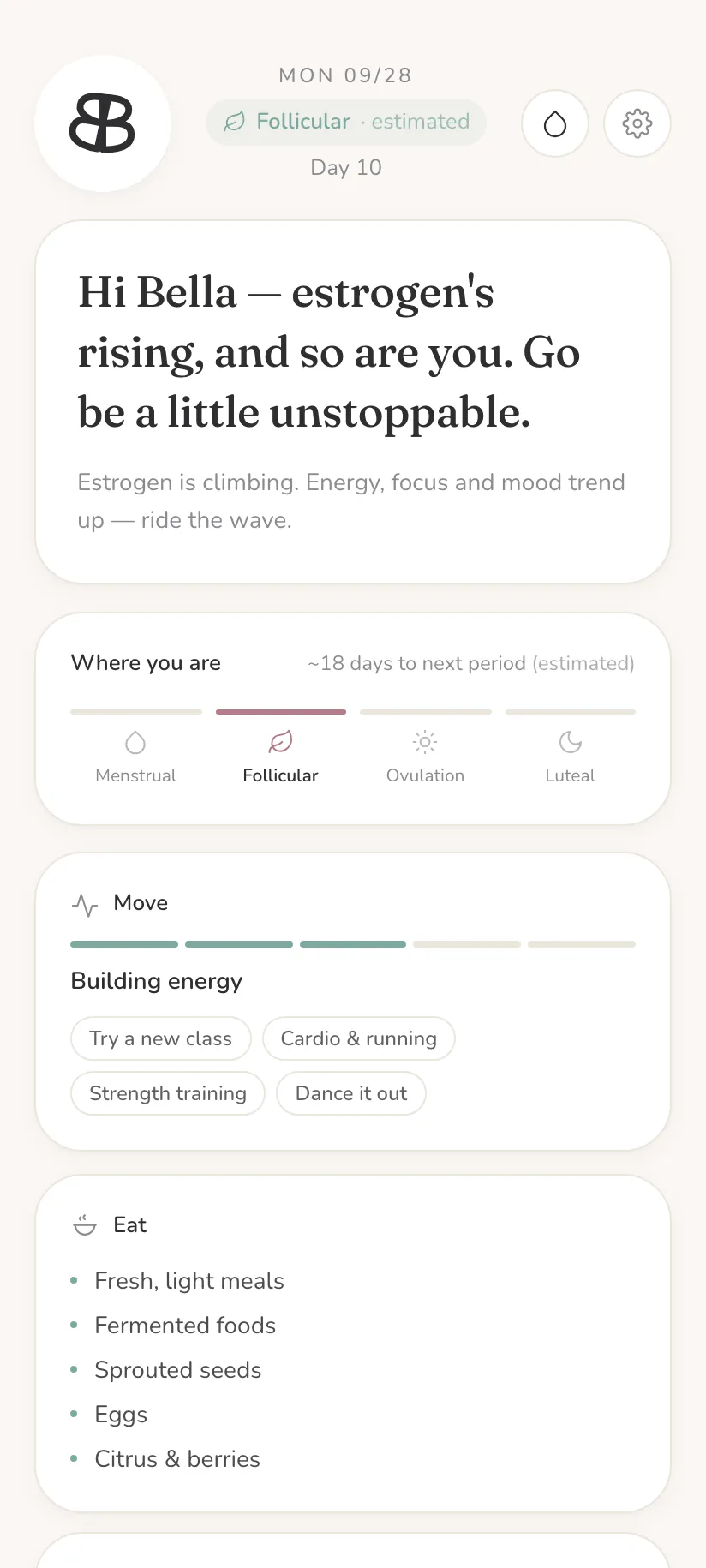
A cycle tracker that keeps everything on your phone. Log one temperature each morning and it shows where you are in your cycle and confirms ovulation from your own data.
Private by design.
No one else needs to know where you are in your cycle.
I built Bella Blooms for the women in my life. Your health data should be yours alone, so I made a tracker that keeps it on your phone and is simple to use.
Everything you log stays on your phone. No account, no cloud copy, no ads. We never see it.
See exactly what is storedWhat's included
- A daily temperature log, in °C or °F, with an optional note
- Your cycle phase, the days to your next period, and ovulation confirmed from your own temperature shift
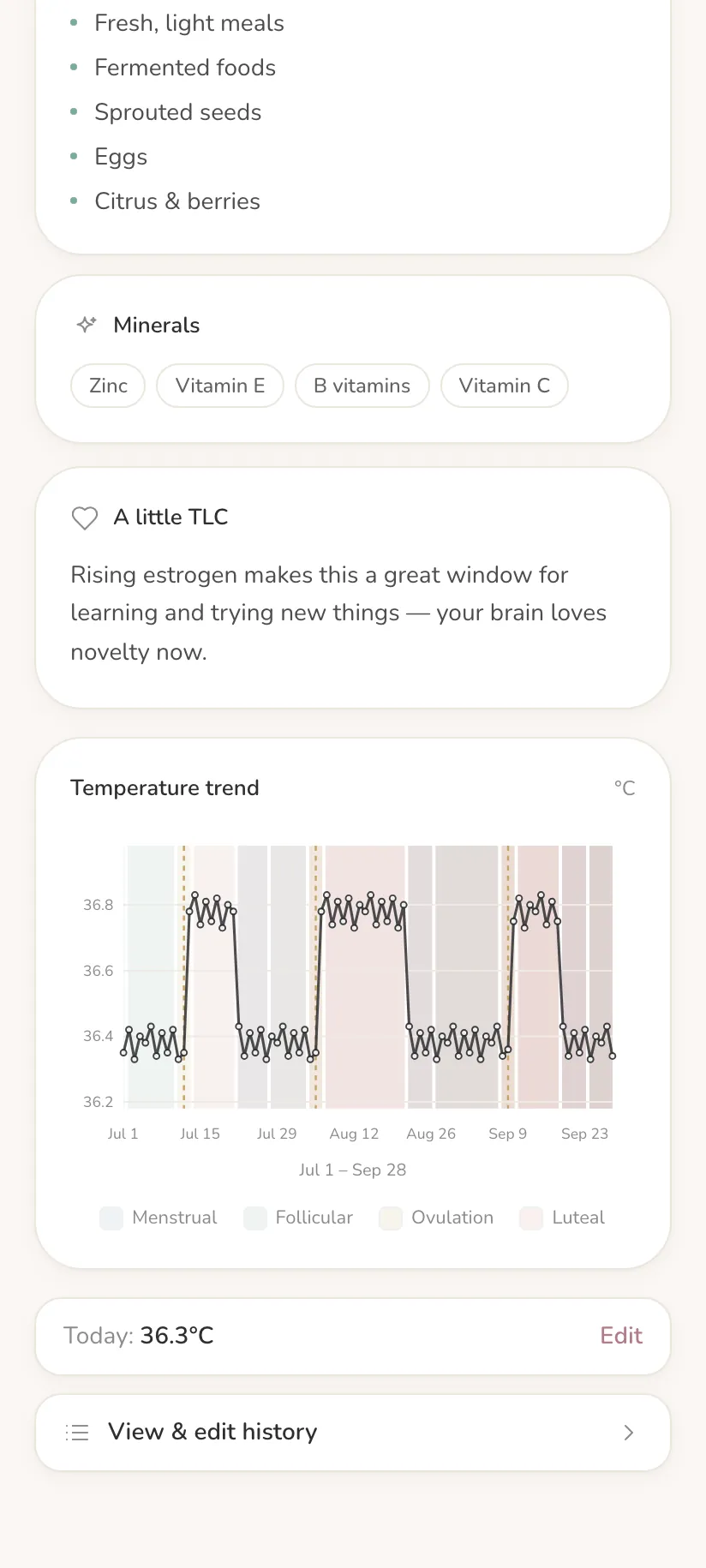
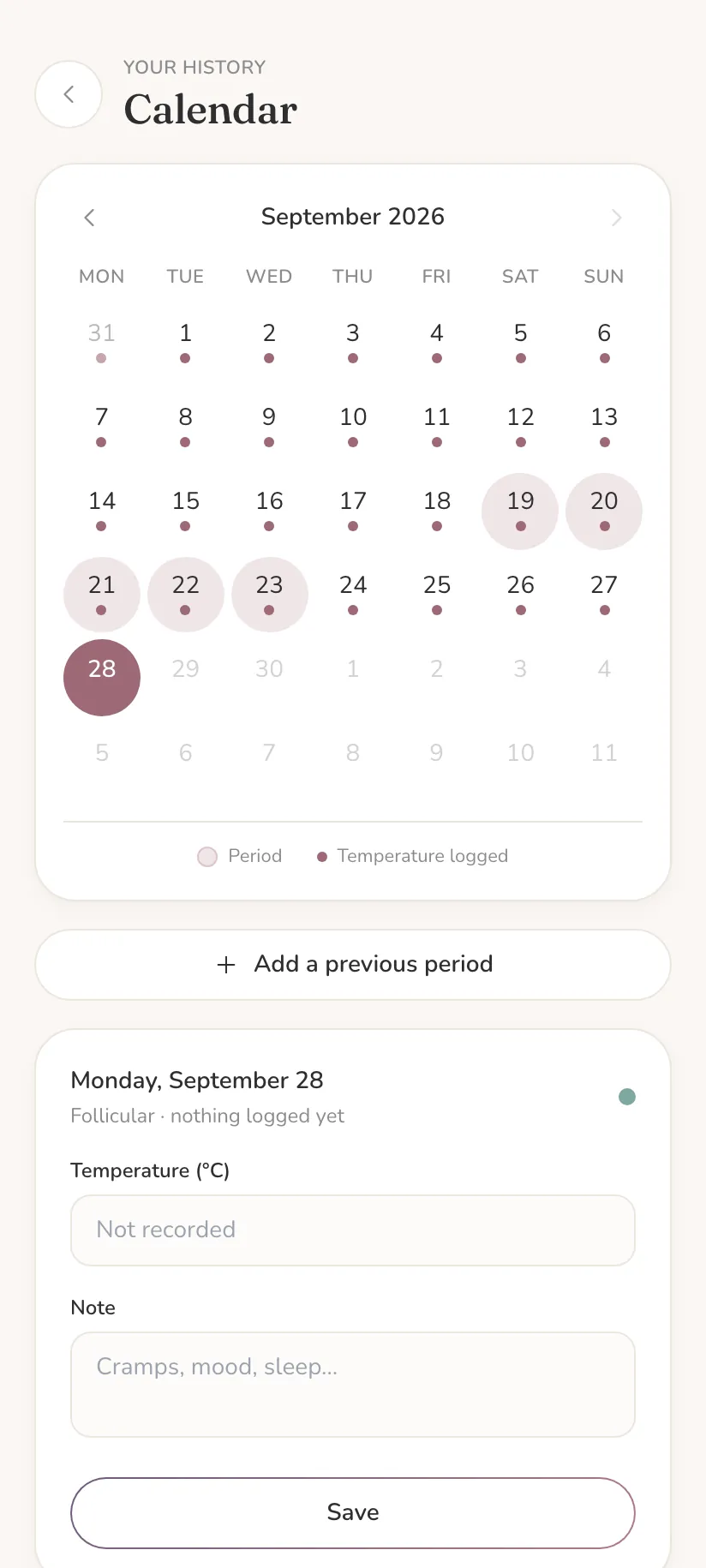
- A temperature chart across cycles, and a history calendar you can correct
- A daily reminder that goes into your own calendar
- Backup and restore of your data, as a file kept on your phone
- A short wellness note for each phase: energy, movement and food
- Works offline once installed. Yours to keep
Before you buy
Is there a period tracker that doesn't store my data on a server?
Yes, Bella Blooms. Your temperatures, period dates and notes are saved in your phone's browser storage and never sent anywhere. There is no account and no server that holds them. We couldn't see your log even if we wanted to, because the app has no way to send it to us. You can check this yourself on the Your data page.
Can period tracker data be used against me?
With Bella Blooms we hold none of your log, so there is nothing for us to hand over to anyone who asks. Your entries live on your own phone, so they are as private as the phone is. The app has no lock of its own, so keep your phone's screen lock on.
Does Bella Blooms sell my data or use ads and analytics?
No. The app has no ads, analytics, crash reporting or tracking, and it makes no network calls of its own. Once installed it works with no connection at all.
Can I use a cycle tracker without an account or my email?
Yes. Bella Blooms has no account, no phone number and no sign-up. If you buy, the payment provider (Paddle) takes your email, country and payment details at checkout. We can see your order there (your email, country, the amount and your invoice reference), to give you your key and help you if something goes wrong. Your card details never reach us, and none of it is linked to what you log.
Is there a basal body temperature tracker that shows when I ovulate?
Yes. You log one morning temperature a day. Bella Blooms charts it across your cycles, shaded by phase, and confirms ovulation from the rise in your own temperature. You need a basal body thermometer that reads to about 0.05°C / 0.1°F. A regular one isn't precise enough.
Will it work if my cycles are irregular?
Ovulation is confirmed by the rise in your morning temperature, not by counting days, so it works even when your cycle isn't regular.
Is there a cycle tracker without a subscription?
Bella Blooms is one payment, with no subscription and nothing to renew.
What happens if the app shuts down or you stop making it?
If we ever stopped making the app or closed down, the copy on your home screen would keep working: it runs on your phone, needs no connection, and checks your key on the phone itself, so it doesn't need our servers. What we couldn't promise then is new features or fixes, and installing it again on a new phone would need the website to be there. That is why we suggest exporting a backup file now and then: your data is then yours to keep, whatever happens to us.
Why does it cost €19 when some cycle trackers are free or cheaper?
Bella Blooms is paid for by the people who use it, not by ads or by data, and it has no subscription. For one payment you get a tracker built around one thing, your morning temperature and when you ovulate, that is simple to use and keeps everything on your phone. If it isn't for you, ask within 14 days and you get your money back, no questions.
Does it work on iPhone and Android? Do I get it from an app store?
It works on both. You open Bella Blooms in your phone's browser and add it to your home screen, and it then opens full screen like any other app and works offline. There is no app store and no store account to sign in with. The help page has the steps, with screenshots.
What if I lose my phone or clear my browser data?
Your log would be gone, because we hold no copy. That is the price of keeping it only on your phone. Export gives you a backup file you keep wherever you like, and Restore puts it back. Export and Restore always work, even without a key.
Does it sync between devices or connect to Apple Health, wearables or other apps?
No. It has no sync and no connections to other apps, so nothing leaves your phone. To move to a new phone, export on the old one and restore on the new one. The help page has the steps.
Is it birth control or a medical device?
No. Bella Blooms is not a medical device and not contraception, and its notes are general wellness information, not medical advice.
Can I get my money back?
Yes. Ask within 14 days of buying, for any reason, and you get your money back. See the refund policy.
Buy it once, keep it.
Checkout shows the exact total in your currency, including any tax. After you pay you get a key that unlocks Bella Blooms on your phone.
If it isn't for you, ask within 14 days and you get your money back, no questions. See the refund policy and the terms.
Get it onto your phone
Four steps, done once.
Step by step, with screenshots. Stuck? The help page covers the usual snags.